Overview
Our permanent URL provides you with a method to provide a single URL to the public with the ability to assign any meeting to it within our platform. In addition, this URL supports as many language translations as you need, each with our own URL as well.
Assigning a Meeting
From the meetings list admin users will see a new URL checkbox next to any meeting that's at least been published. The one with the checkbox signifies which meeting is currently available via the URL. To change which meeting simply press the checkbox of another meeting and everything will update.
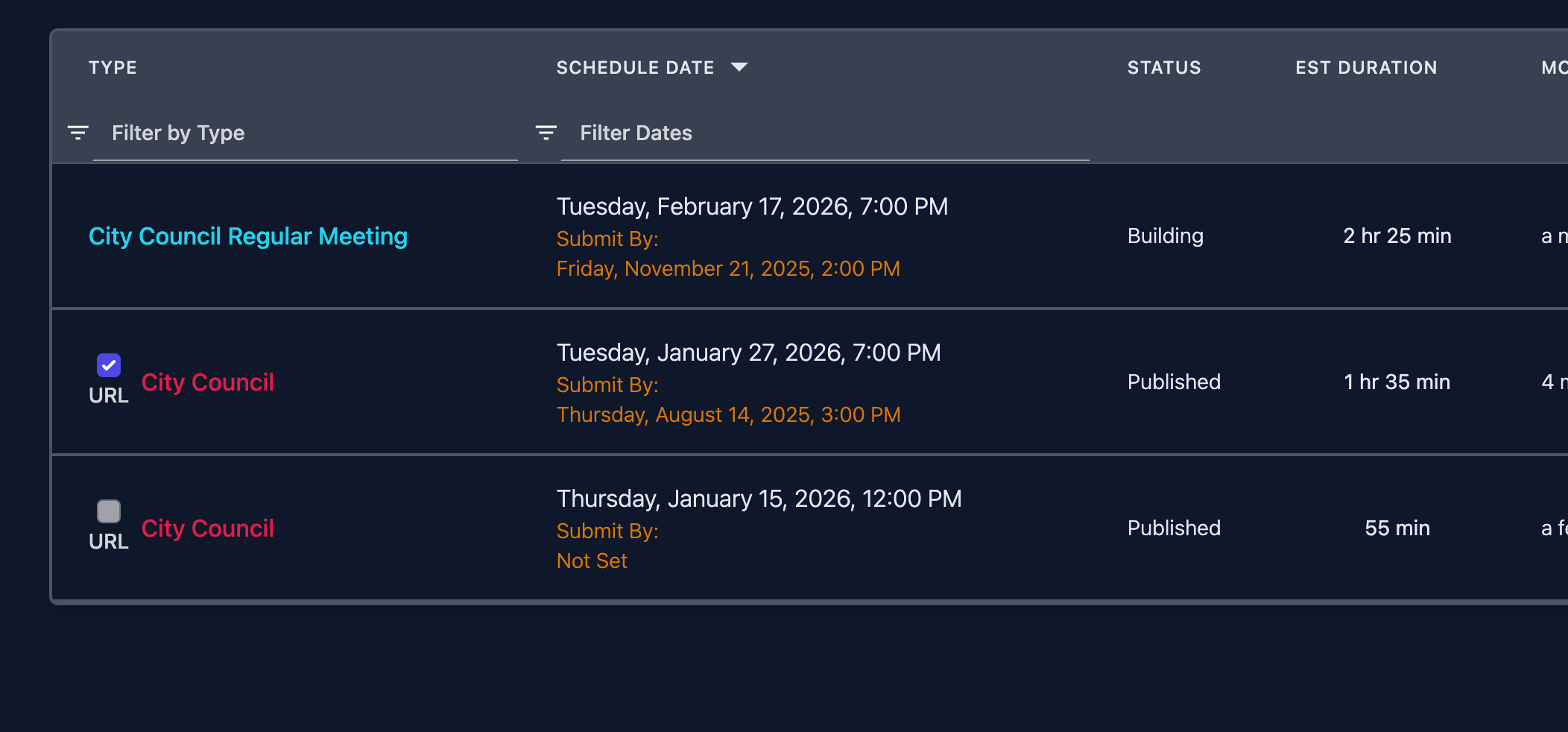
Utilizing the URL and language options.
The URL to use wherever you wish on your website (best used on your landing page) is as follows:
https://print.agendalink.app/your entity here/en/agenda (This is the english version)
For other languages simply update the language code in the URL.
Common languages being:
- Spanish: es
- Chinese (Simplified): zh
- Vietnamese: vi
- Korean: ko
- Tagalog: tl
- Japanese: ja
- French: fr
- German: de
Agenda Headers / Footers
We've also provided a way where in your agenda headers/footers we can signify behind the scenes which text should or shouldn't be translated. If you have things you would like to not be translated simply reach out to our support team and they will assist.